728

Showing posts with label hard disk. Show all posts

Saturday, 30 January 2016

Ports Of Computers ( HOW MANY PORTS IN COMPUTER )

Posted by Unknown

Main Port of Computer ( PERSONAL COMPUTER)

1. MOTHER BOARD
2. PROCESSOR  
3. RAM
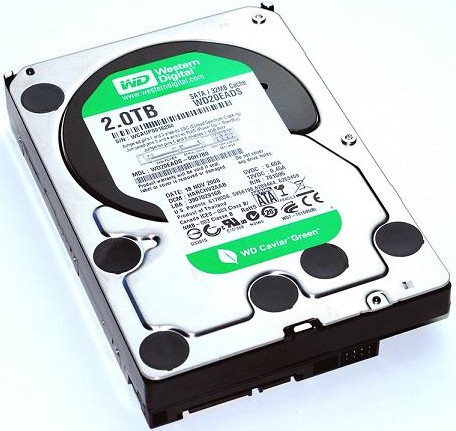
4. HARD DISK
5. POWER SUPPLY ( CABINET ) 
6. KEY BOARD 
7. MOUSE 
8. LCD/ LED Or CRT MONITOR
9. SPEAKERS
10. WEB CAMERA 


 About all ports of computers
* mother board ( main port in system all ports connect with the mother board )  
* Processor ( CPC - CENTRAL PROCESSING UNIT ) The more powerful the processor is, the faster your PC will run. The speed of a processor
* RAM (RANDOM ACCESS MEMORY ) 
* Hard disk (Storage) ware installation software and save data - file - photos videos - audio and all type of documents saves in hard drive  
* SMPS ( switch mode power supply ) gives power supply to mother board and hard disk dvd writers in side of cabinet )
*key board ( typing words ) its control all software key words in computing KEYBOARD is a Typewriter
* MOUSE ( hand control-Right and Left click ) is a Pointing device ) Moving a mouse along a flat surface can move the on-screen
Read More

Sunday, 17 January 2016

Hard Disk Problems And Solutions In Telugu

Posted by Unknown

Hard Disk Problems And Solutions In Telugu And English 

1.How To Remove Errors On Hard drive

( హార్డ్ డిస్క్ errors నీ మరియు bad sectors నీ క్లీన్ (clean) చెయ్యడం ఎలా....?) 

1.మీ కంప్యూటర్ లో హార్డ్ డ్రైవ్ సరిగా వర్క్ చెయ్యక పోతే దాన్ని ERRORS క్లీన్ చెయ్యడం ఎలా......


ముందు స్టార్ట్ బట్టన్ క్లిక్ చెయ్యండి తరువాత కంప్యూటర్ ఆప్షన్ క్లిక్ చెయ్యండి మీ DRIVES నీ C: లేదా D ఇంకా ఏదైనా DRIVE నీ మీరు సెలెక్ట్ చేసుకొని దాన్ని పైన రైట్ క్లిక్ చెయ్యండి ప్రపర్తిస్(PROPERTIES) మీద క్లిక్  చెయ్యండి తరువాత టూల్స్ (TOOLS) నీ క్లిక్ చెయ్యండి

ఇప్పుడు "CHECK NOW" నీ  క్లిక్ చెయ్యండి మీరు సెలెక్ట్ చేసుక్కున్న DRIVE ఆటోమేటిక్ గా ERRORS మరియు BAD SECTORS నీ స్కాన్(scan) చేస్తుంది

"your device or disk was successfully scanned"

అని వస్తుంది ఇప్పుడు మీ యొక్క "DRIVE"

పూర్తిగా క్లీన్ అయింది..... ఇలానే మీయొక్క అన్ని Drives నీ ఇదే పద్దతిలో Bad sectors నీ క్లీన్ చేసుకోండి


Now Go To  Start Button  > Computer < select the drive want inspect right click open >Properties< go to >Tools< tab  click on  >Check now< check that you select automatically Click start fix and scan for bad sectors.... after scanned done show window  


"your device or disk was successfully scanned"

ONE BY ONE SAME Process  All Drives 

exp: C: drive or D: drive or more in have your computer hard disk drives  


If Windows cannot perform the checking because the disk is in use ask to schedule the next time you start your computer

Read More